


Computer Corner is a monthly article written by Guruka Singh of Sikhnet. He keeps us up-to-date with tips and advice on the latest technology in the computer and smartphone world.
Computer Corner is a monthly article written by Guruka Singh of Sikhnet. He keeps us up-to-date with tips and advice on the latest technology in the computer and smartphone world.

We've all waited a long time for solid, fast Internet here in our community. Well, Starlink is finally here. I've written about it here previously. For more check out this Wikipedia article.

Like everyone else living here, I have felt the dearth of solid broadband Internet over many years. Dropped calls. Buffering video. 404 website errors, looooong web page load times, poor Zoom calls with frozen video and stuttering audio... we've all experienced these things.
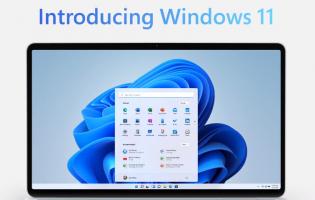
Windows 11 will be officially released on Tuesday, October 5th. So why would you care? Well, it’s not only a lot more beautiful than Windows 10, but it’s also a faster, more stable and more elegant operating system.

It's the end of June and I'm typing this month's column on my newly upgraded Windows 11 computer. Yes, you heard right. There's a new version of Microsoft Windows.

Microsoft has come along with some helper apps that are in various stages of development.

Now that Zoom, Skype and other services have taken over our daily lives as we know it – many are wondering how to look as good on the internet as you do in person. That means figuring out how to flatter your face on everyone's laptop screens

Sat Nam! With our reduced opportunities to connect with each other physically in the age of COVID-19, it's easier than ever to feel isolated. Making connections with each other now is more important than ever.

Gadgets can pile up over the years -- new ones come out, old ones break. You probably have a drawer full of old batteries and cables, and some old phones, laptops and desktops lying around, which may only be growing larger if you've replaced any of your electronics over the holidays.

Cutting, copying, and pasting seems like such a simple process, having been a core feature of Windows and Windows applications for years. But there are some tricks, techniques, and tools you can use to ease and enhance the process.

APPLE released a major update for iPhones and iPads last week, adding a ton of new tricks and features to try out.
The home screen has been overhauled, while a new tool lets you perform actions by tapping the back of your mobile - here are some tips on everything new.
If you would like to subscribe to our Ashram emails or view our archives,
click here >
Hacienda de Guru Ram Das Classified ads is a free service provided for friends and sangat members of Hacienda de Guru Ram Das Ashram.

Join the CSA with Khalsa Family Farms >


Hearts and Hands is here for you. Whether you need help or want to help others, we are available. See new section "In Memoriam".
Visit our website >

View live video from our Gurdwara every Sunday from 11:00am to about 12:30pm, MST and a weekly reading of the Akhand Path from Wednesday through Saturday. Akhand Path dedications are available here >

Stream the Evening Meditation online here > Make your donations for the Evening Langar >

Food-for-Kids is a volunteer program coordinated by Guru Simran Kaur that serves hungry children in and around the Española, New Mexico area. Read more >